
How to register with Equiti
This article walks you through opening a trading account with Equiti, step by step, with a screenshot for each step. The whole sign-up works on a phone or a computer and takes only a few minutes.
Step one: click the link
Click the button below to open Equiti's sign-up page through our link.
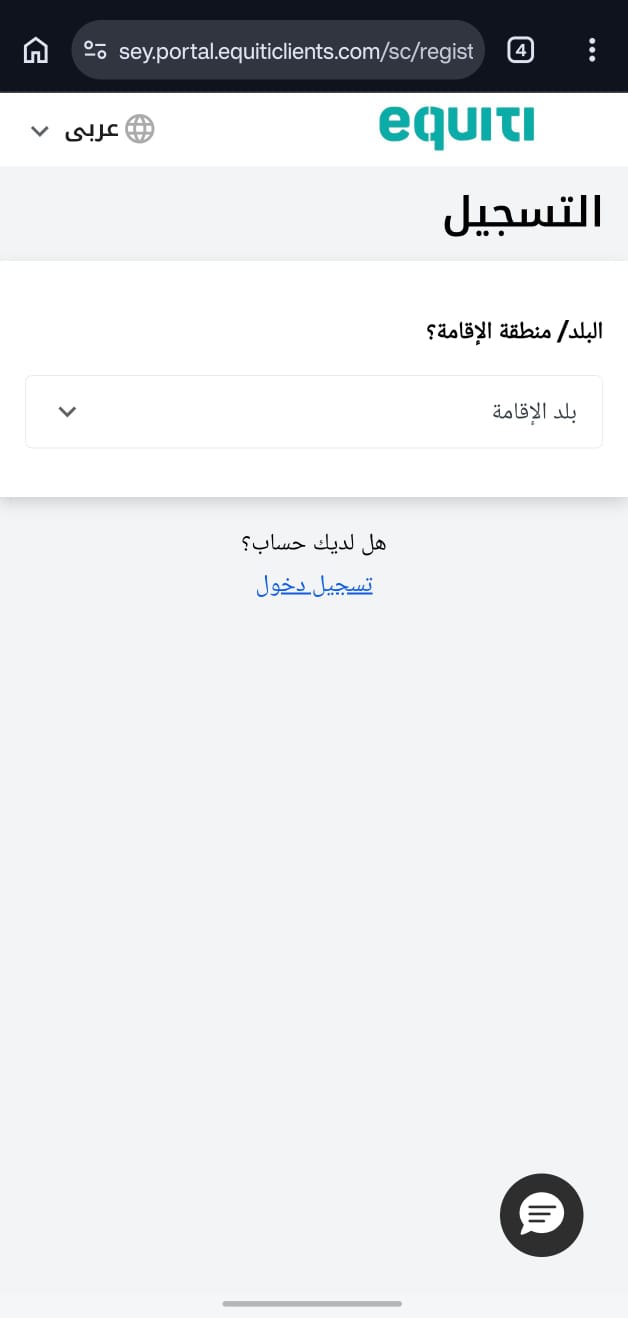
Step 2: Choose your country of residence
First, choose the country you currently live in.
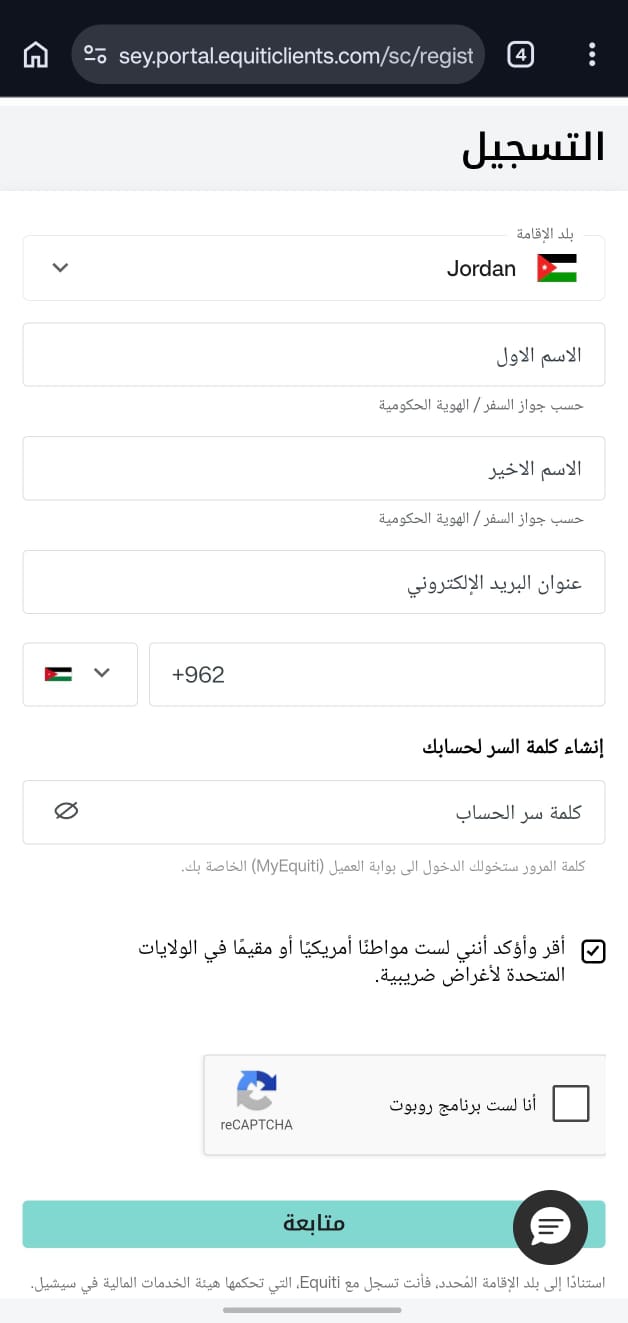
Step 3: Fill in the sign-up form
- Write your first name exactly as on your ID or passport.
- Write your last name (family name) exactly as on your ID or passport.
- Write your email address.
- Write your phone number and make sure it is correct.
- Create your password.
- Tick that you are not a US citizen or resident, if you really are not.
- Tick «I'm not a robot», then click «Continue».
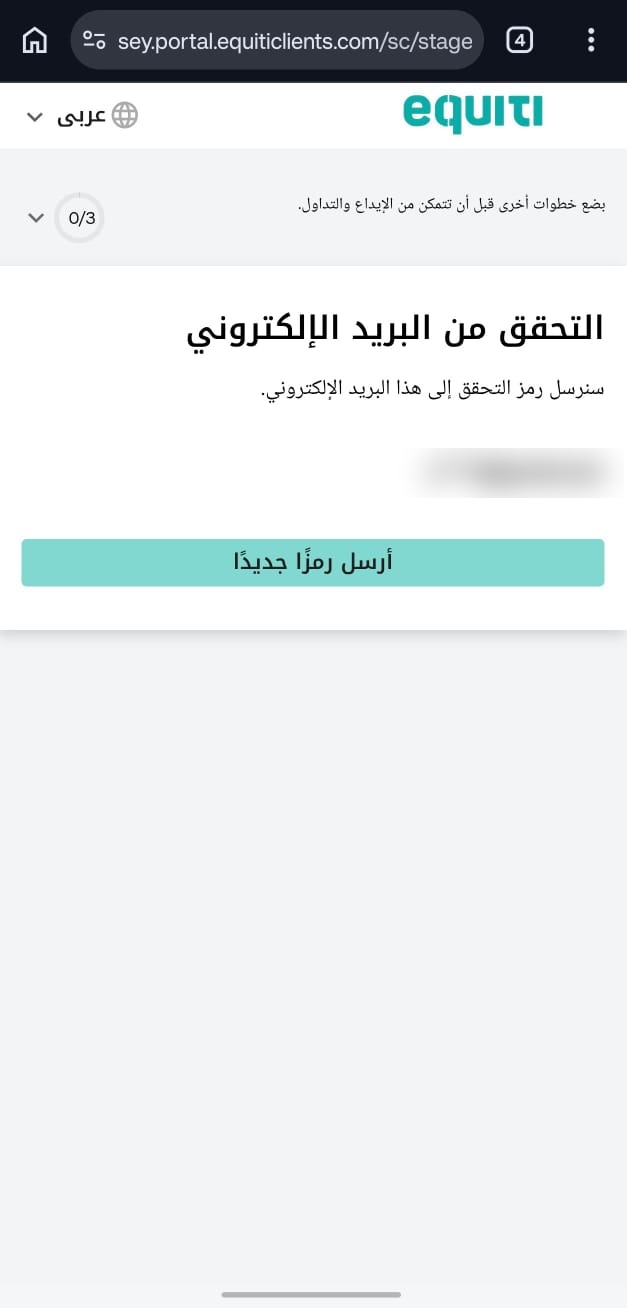
Step 4: Verify your email
Click «Send a new code»; a code is sent to the email you entered at the start.
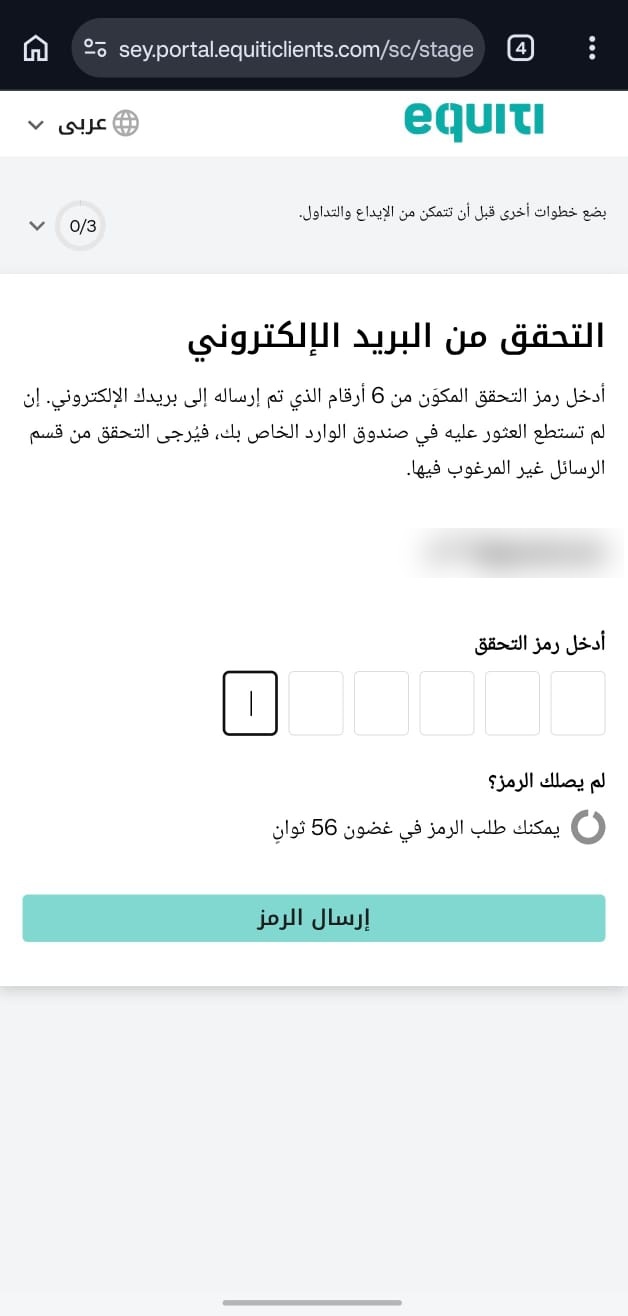
Step 5: Enter the code
Copy the code from the email and type it into the empty boxes.
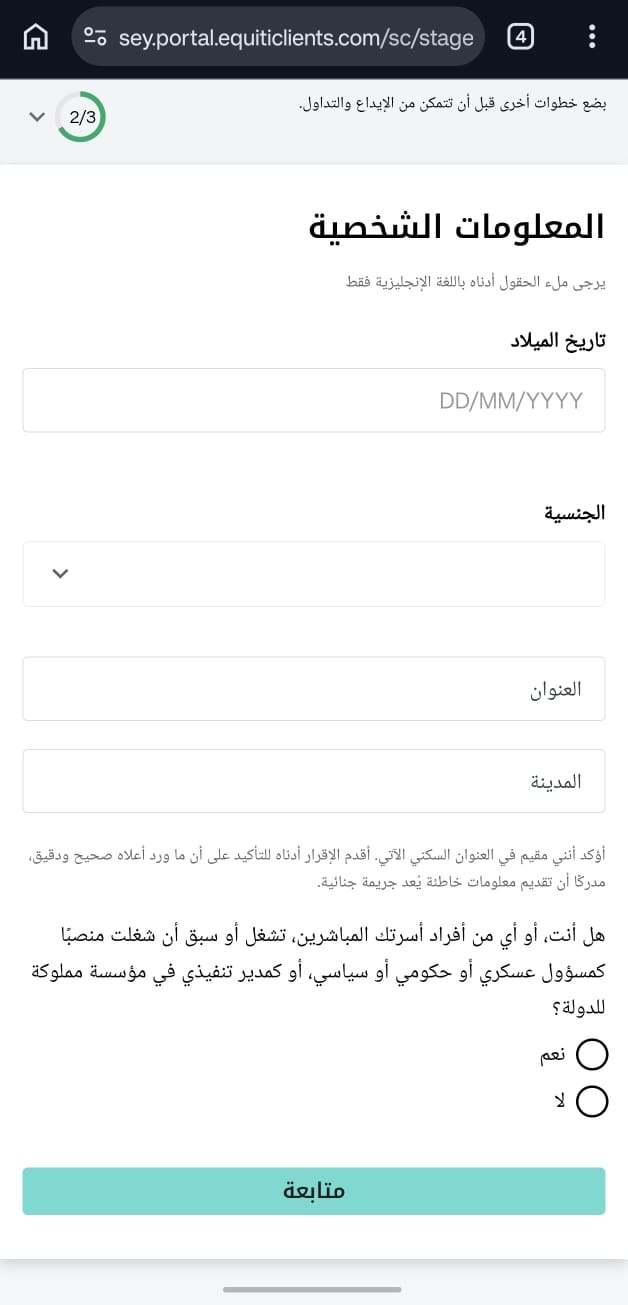
Step 6: Personal details
Enter your personal details:
- Date of birth.
- Nationality.
- Address and city exactly as on your ID or passport.
- Choose «Yes» or «No» if you or any family member holds a government, political or military position, then click «Continue».
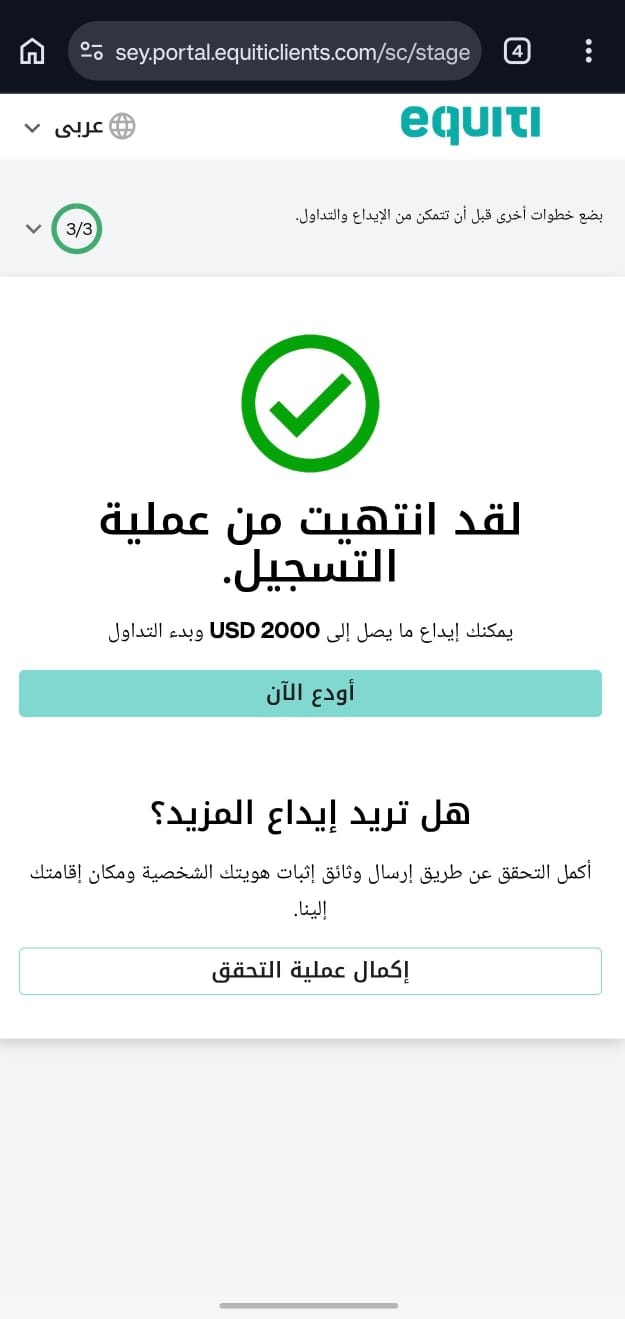
Step 7: Complete the verification
Click «Complete verification».
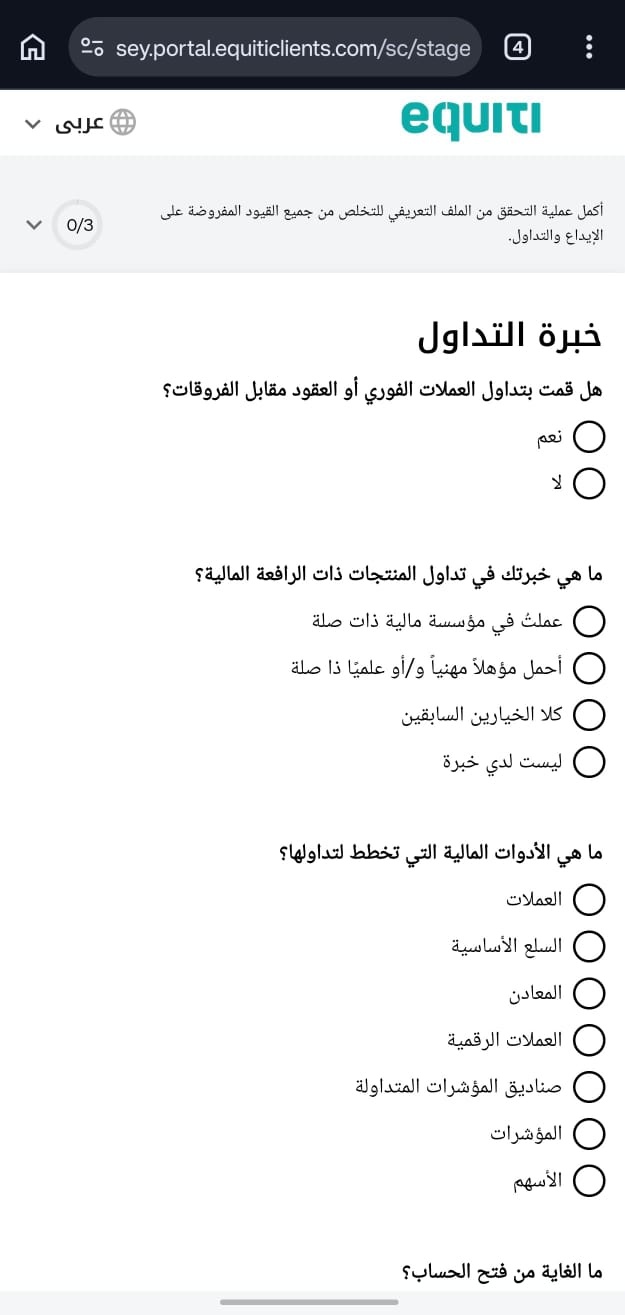
Step 8: Experience questions
Choose the options that fit you, or the closest ones.
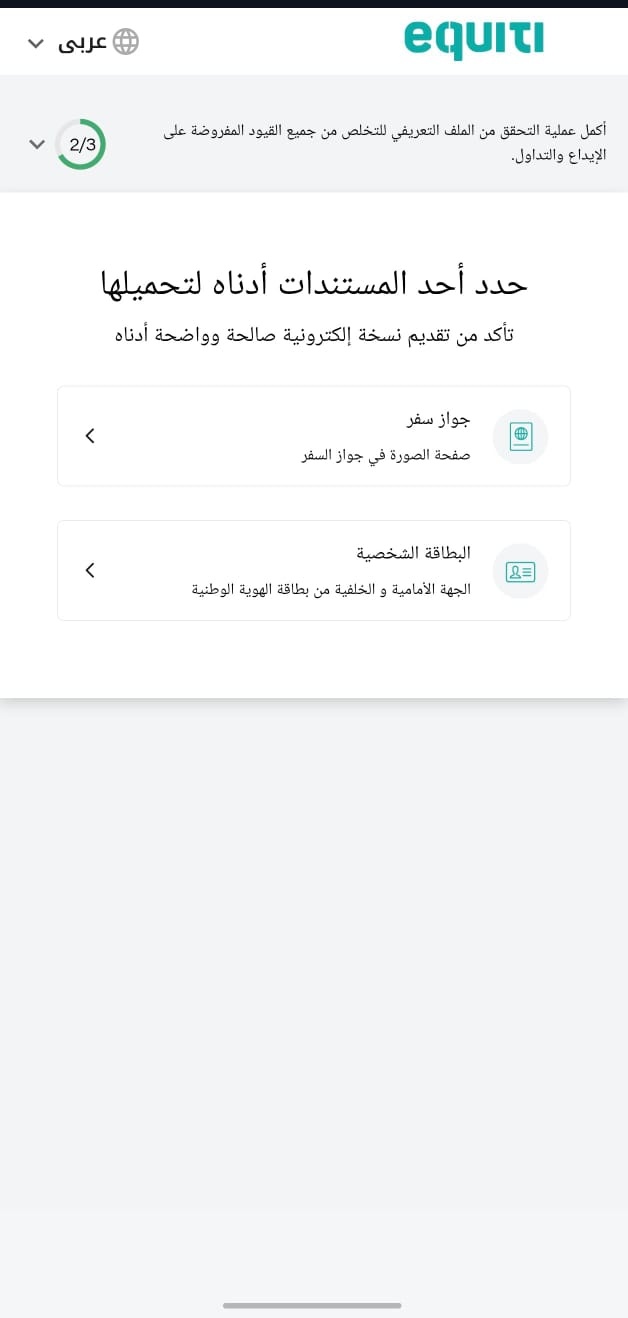
Step 9: Verify your account
Finally, choose the document you have (ID card or passport) to verify your account, then you can start trading.
Contact technical support
+962 77 583 8801